Socialight for Mac

A clearer view of
your channels.

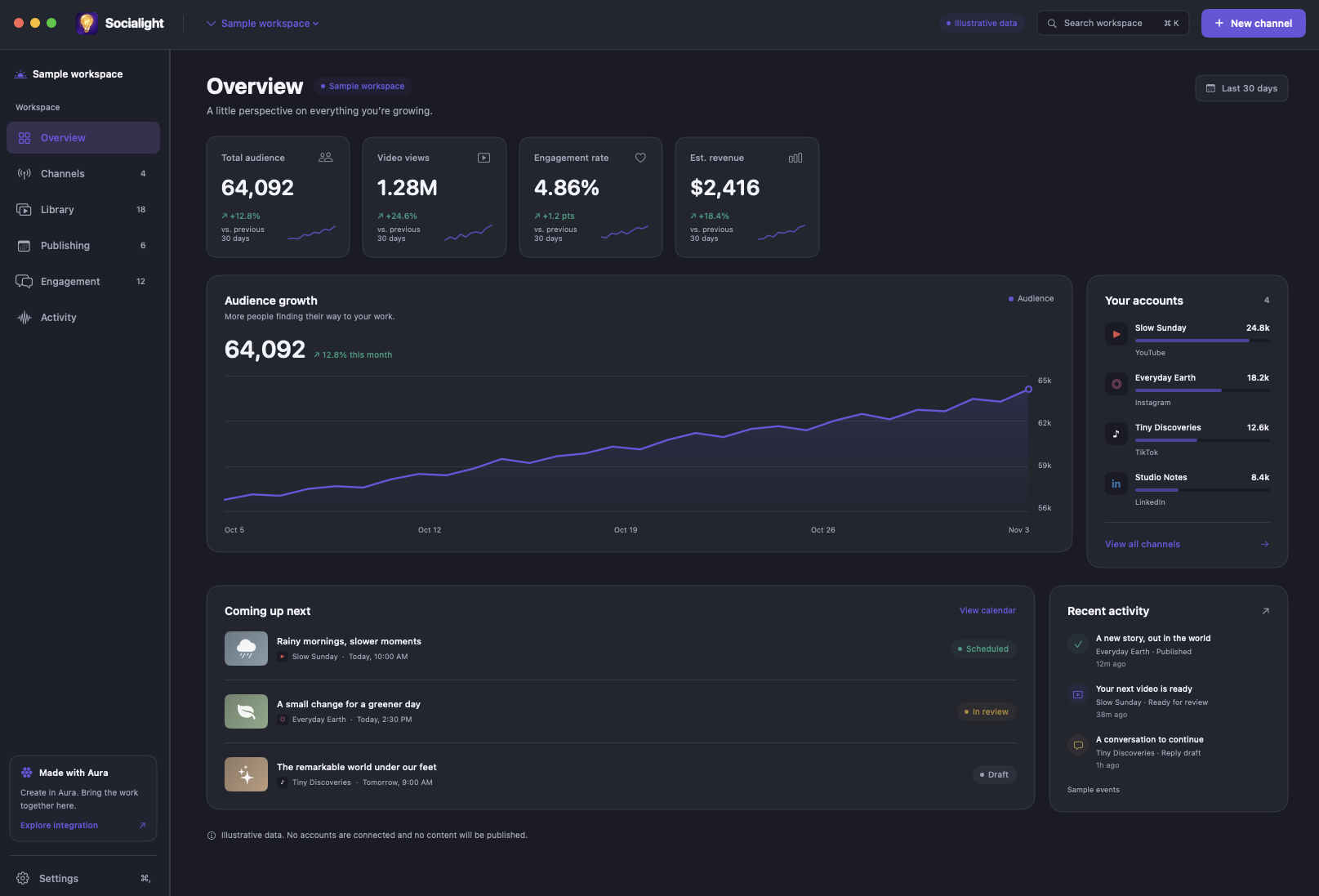
A home for the work around the content. Socialight coordinates your publishing, performance, and engagement in one native Mac workspace.

Socialight for Mac, showing the Overview dashboard with audience metrics, channels, publishing items, and activity.
Socialight for MacOpen image for full size

Start where
your channel is.

Three ways into the same workspace. Create something new, look after what exists, or give a longer video a new shape.

Give an idea a rhythm.

Define your audience, voice, destinations, and cadence. Socialight turns that direction into an organized content operation.

  • Keep the channel brief and destination accounts together.
  • Set review preferences and generation spending limits.
  • Send production briefs to Aura, then review the results.

Get the full picture.

Bring your existing presence into view without automatically creating a publishing schedule. Choose which parts of management to enable.

  • Review available post history and platform metrics.
  • Prepare contextual reply drafts for review.
  • See account health and actions that need attention.

Find the next story inside.

Bring a local video or an authorized source. Review proposed moments, keep the source context, and ask Aura to produce the clips.

  • Inspect proposed ranges and their rationale.
  • Aura handles the cuts, captions, and reframing.
  • Socialight prepares destination-specific packaging.
Connect where
your audience is.

Bring YouTube, Instagram, TikTok, and LinkedIn into a shared publishing and management workflow.

Manage each account with the formats, permissions, and publishing choices that fit its platform.

YouTube
Video and channel management
Instagram
Reels and audience engagement
TikTok
Short-form video
LinkedIn
Professional content and updates

Your Mac is the starting point.

Socialight runs natively on Apple Silicon Macs with macOS 14 or later.

Keep your Mac awake and connected for local content creation, uploads, and monitoring. Content already uploaded and scheduled on a platform follows that platform’s schedule.

Supervision is part of the workflow.

Set your policies for publishing, replies, and performance actions, then follow the results in a clear activity history.

See where your data comes from, when it was updated, and which actions need your attention.

See how the pieces connect

Two tools. One creative direction.

Find the right place to begin.